ChatGPT Setup
This page explains how to add the BI-Vital MCP server in ChatGPT.
MCP endpoint
https://bivital.techfak.uni-bielefeld.de/mcp
Setup flow (GIF)
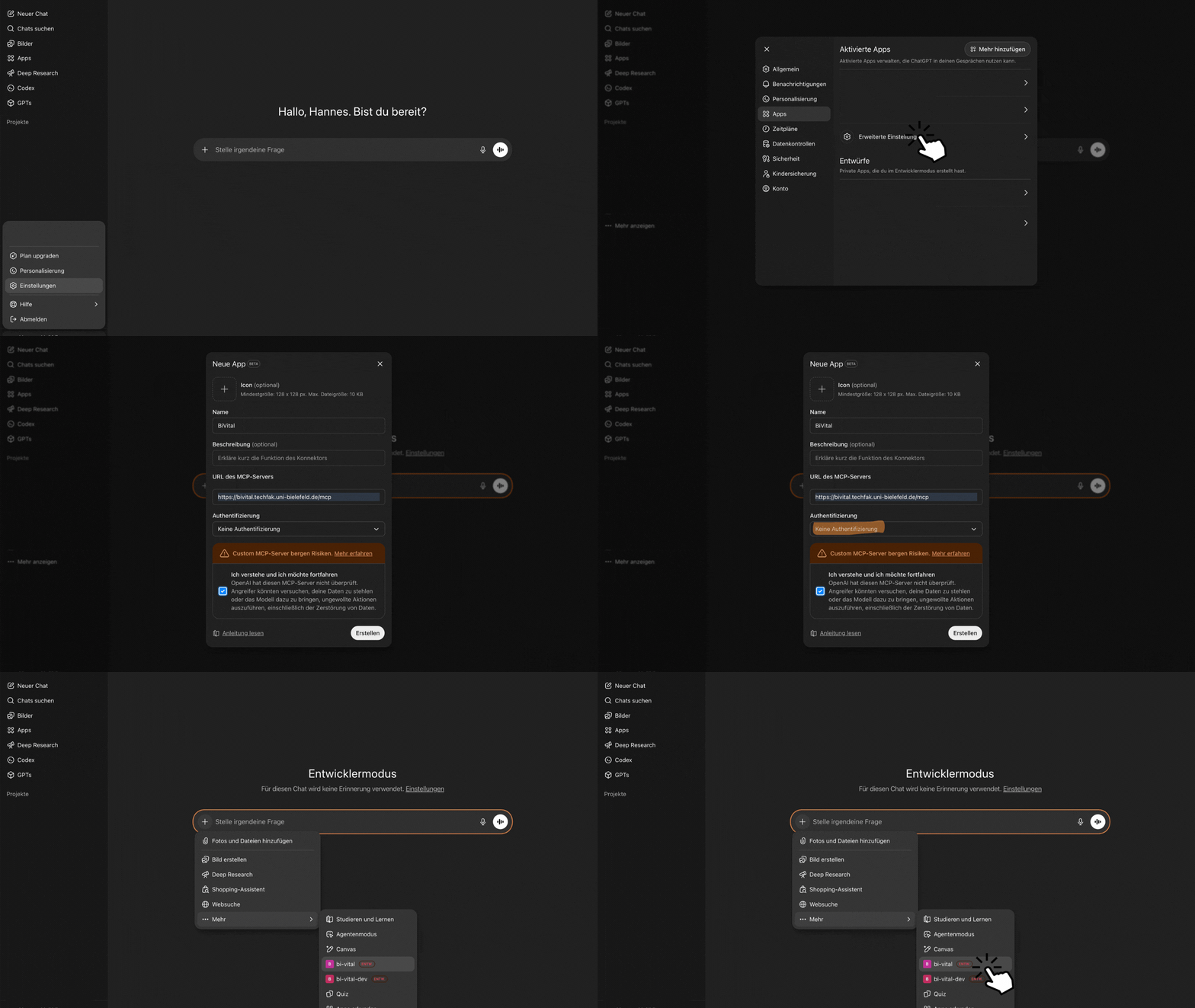
Step-by-step
- Open ChatGPT.
- Open the profile menu in the bottom-left and click
Settings. - In
Settings, openApps. - Open
Advanced settings. - Enable
Developer mode. - Click
Create app. - In
New app, setNametoBiVital. - Set
MCP server URLtohttps://bivital.techfak.uni-bielefeld.de/mcp. - Keep authentication as
No authentication. - Confirm the MCP risk checkbox and click
Create. - In chat, click
+, thenMore, then choose the newBiVitalapp. - Start asking questions about BI-Vital content.